Portfolio

Working examples and cases.

A selection of sample projects around AI, dashboards, web scraping and business intelligence. The examples are built in a scalable way and can be adapted to different sectors, questions and business environments.

AI chatbot Widget on this site

LD Solutions assistant

An embedded assistant that helps visitors explore which data, AI and automation tasks may be relevant.

  • Answers questions about dashboards, scraping and automation.
  • Can connect conversations to an OpenAI backend.
  • Keeps the website interactive.
JavaScript HTML/CSS Node.js backend-ready OpenAI API-ready
LD Solutions assistant Demo widget
Ask a question about dashboards, web scraping, automation or AI agents.
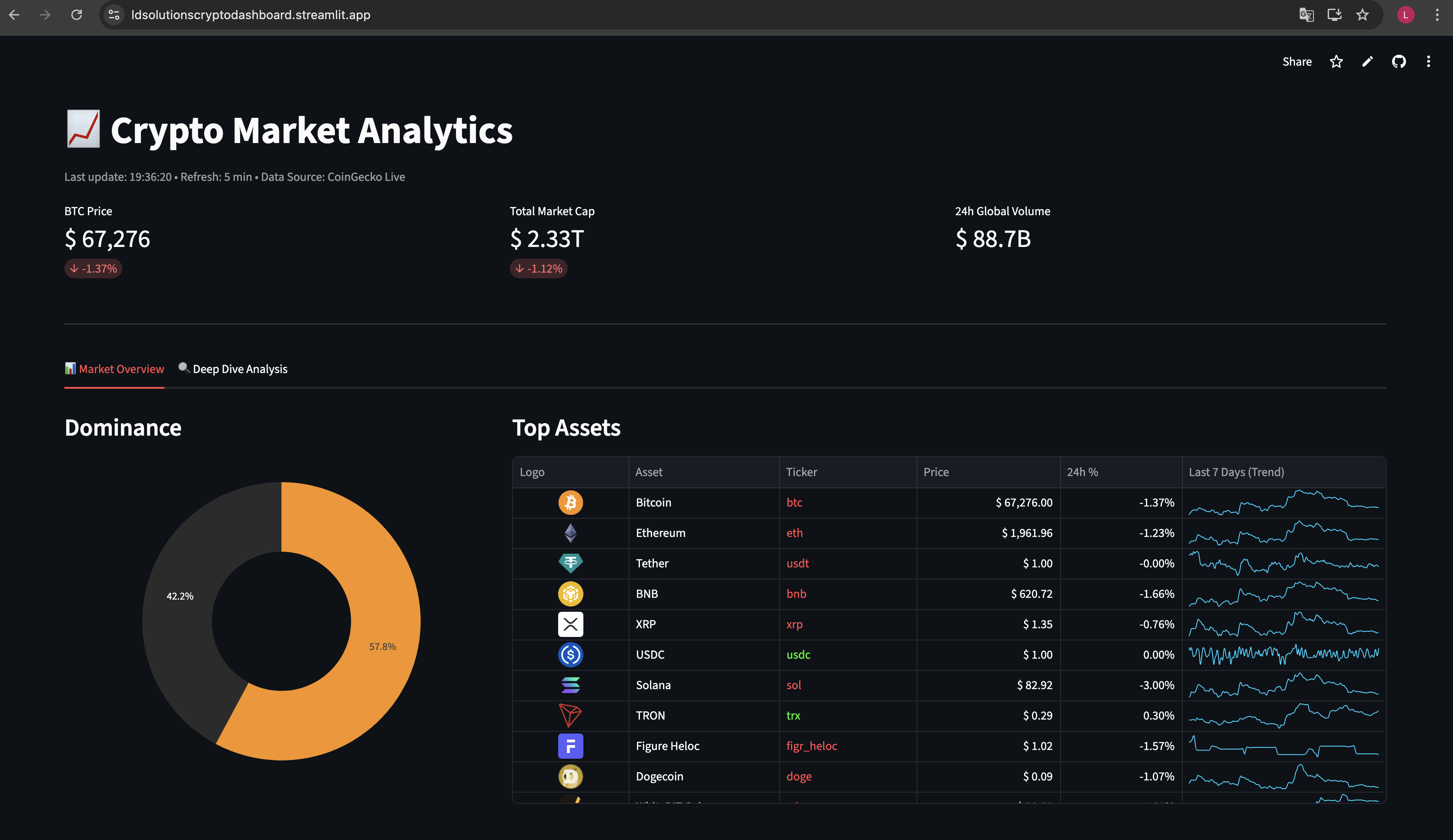
Screenshot of the Crypto Market Analytics dashboard
Dashboard Streamlit

Crypto Market Analytics

An interactive dashboard with CoinGecko data, market statistics, asset tables, sparklines and fallback data when live API data is temporarily unavailable.

  • Live market data combined with local fallback datasets.
  • Plotly visualizations for dominance, trends and market value.
  • Automatic refresh to keep insights up to date.
Python Streamlit Plotly Pandas CoinGecko API CSV fallback
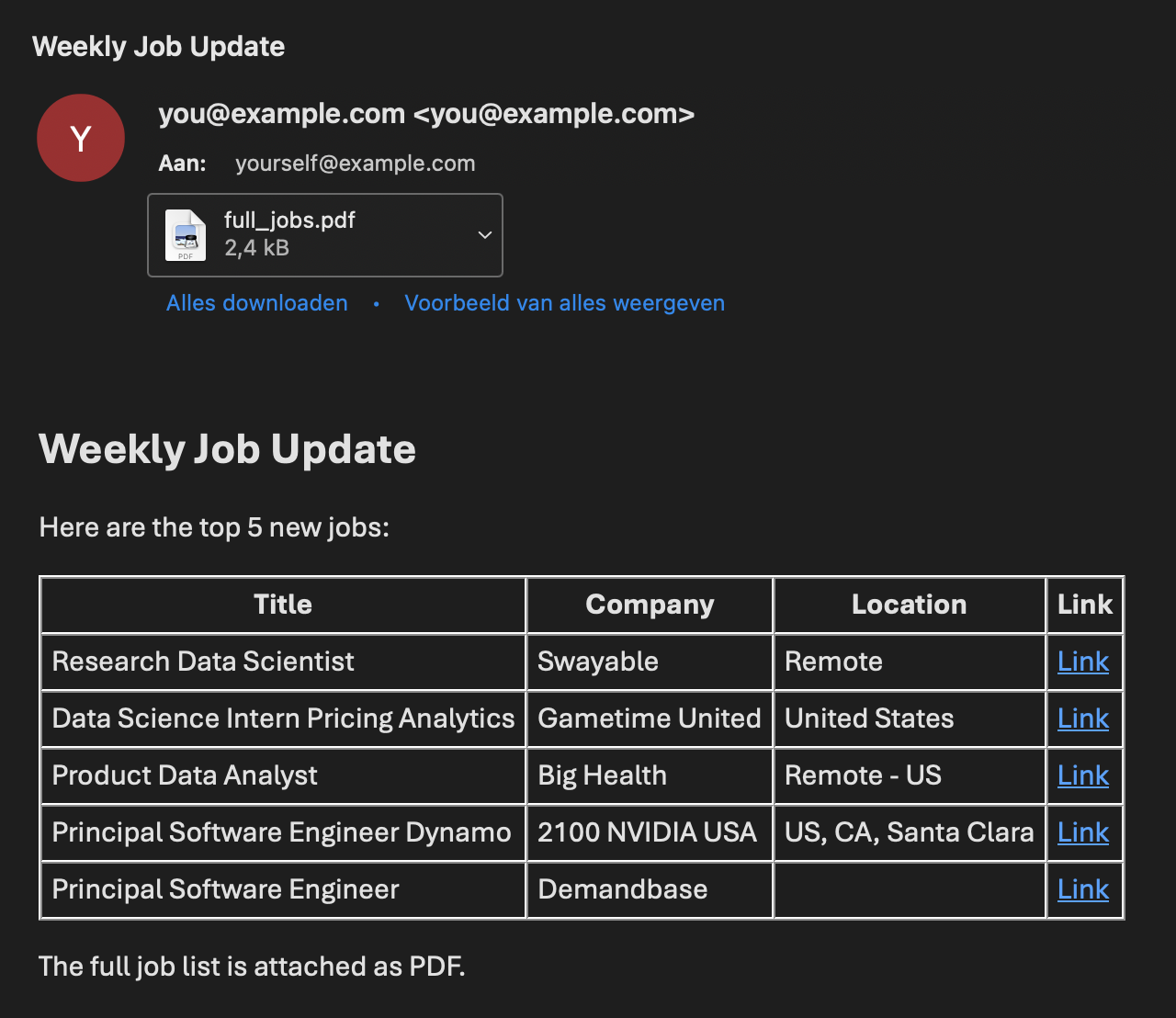
Screenshot of the web scraping job alert workflow
Web scraping Python

Job Listing Alerts

A workflow that collects job listings from multiple websites, filters them by relevant keywords and can send new results as a recurring email update.

  • Scrapers for Indeed, Remote OK and We Work Remotely.
  • State management to prevent duplicate notifications.
  • Modular setup for future email or Slack expansion.
Python Requests BeautifulSoup JSON state Email alerts Modular scrapers
Screenshot coming soon
Business intelligence Power BI

Power BI Dashboard

Coming soon: a visual report that turns data into clear insights for monitoring, analysis and decision-making.

  • Space for a dashboard screenshot and short explanation.
  • Focus on data model, KPIs and usable insights.
  • Can later be extended with a separate detail page.
Power BI DAX Data model KPI design Data refresh
In preparation